What it does
Kit-length connection for USB-B boards requires both a fitting plug and a usable data pair. A board can power up from a cable that cannot upload or enumerate.
Useful specifications
- Connectors
- USB-A to USB-B
- Data/current rating
- Verify actual cable; not established
How it works
Copper power/ground conductors carry supply current and a paired signal path carries USB data. Resistance causes voltage drop along the cable; connector wear and poor shielding can degrade operation.
Recognize the part
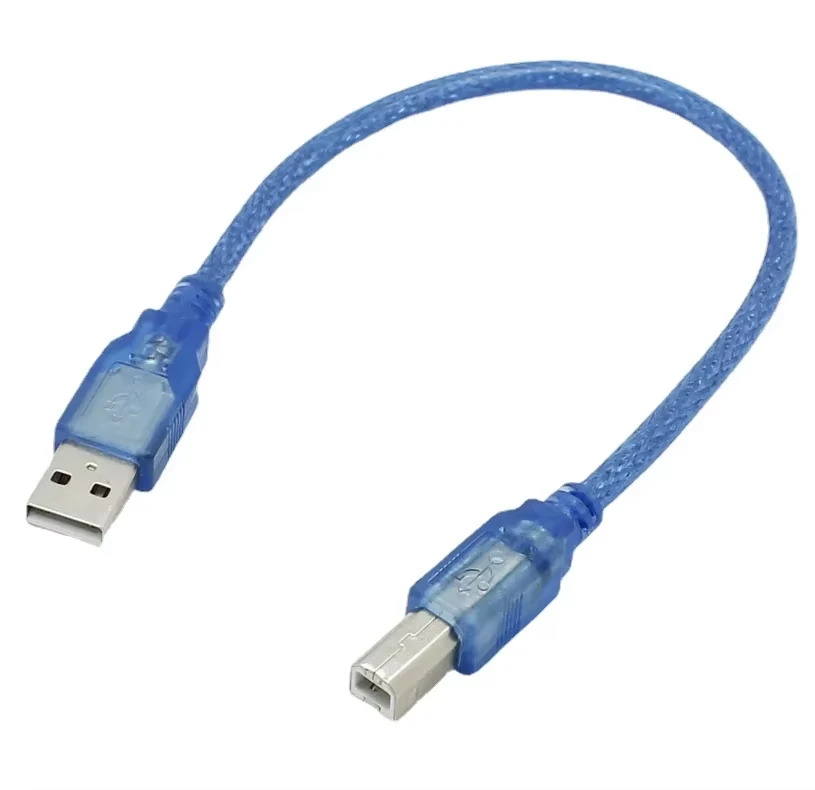
USB-A plug and square USB-B plug. Inspect the plug shape; micro-USB is not USB-C, and USB-B is the squarer device connector.
Also called: usb cable, USB cable
How to use it
Use the fitting board/device connector with a host USB port. If powered but undetected, test with a known data cable and inspect the selected serial device. Do not expect a long/light-gauge cable to deliver large motor or board supply current.
Know before using
Limits
- Resistance/length and connector quality limit usable current and signal integrity.
Common mistakes
- Diagnosing software before ruling out a charge-only or broken cable.
- Forcing the wrong connector.
Related owned hardware
Read the conditions before connecting parts. A relationship can involve a driver, controller or a redesigned circuit.
programming cable
- This connector form supplies a host USB programming/serial path when the cable carries data.
- The controller uses this connector form for USB programming/power.
Connection conditions
- Verify actual connector and data capability; long cables can increase voltage drop.
Inventory record and image evidence
Quantity: 2 · quantity confidence: high
Known countable purchase/BOM contributions. Each source line is a total; do not multiply by container count or add photo observations.
Ownership: source-backed club holding. Identity confidence: high.
Identity follows exact kit sheet/BOM; expected quantity is not a physical stocktake.
V1 establishes the catalog identity. Technical references explain the named device or component class; unverified carrier-specific ratings and pinouts are not asserted.
Source holdings
Parent kits
Original V3 image confidence: 90% · high. Component crop tied to an owned kit and its source mapping; selected by form rather than filename alone.
Original V3 image source: ELEGOO Mega reference (owned kit reference). Images describe identity and form; they do not establish quantity.
Displayed image source: User-supplied usb-b-cable reference image attached in chat.
User-selected short kit-cable reference shows USB Type-A and full-size Type-B plugs with the full cable loop. It is distinct from the separate 10-foot cable record; exact kit length is not newly measured.
User-supplied reference image; original rights retained.