intermediate
Linux logger with a deterministic Pico sampler
Core electronics availableUse Pico for timed ADC acquisition and Pi 4 for storage, plots and process-level networking.
Power
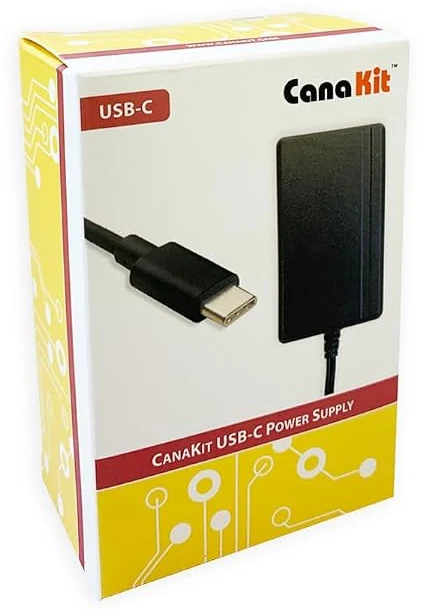
The CanaKit 3.5 A USB-C supply is the established Pi 4 PRO-kit power accessory.
USB-C DC supply; PD capability where documented
Supplies the computer and its peripheral load while holding the required rail near nominal voltage. Current capability and cable resistance affect undervoltage behavior; a high watt number alone does not establish the required 5 V current profile.
Internal conversion regulates output and the cable carries it to the board. USB-C Power Delivery capability, where present, negotiates supported voltage/current profiles; plug shape alone does not establish them.
CanaKit USB-C power-supply packaging/product, included in PRO kit. Read output-profile and manufacturer labels.
Use the CanaKit USB-C output for the Pi 4 and check its printed voltage/current. The 3.5 A source rating is established; verify the specific label rather than transferring every official Pi supply specification. Keep plugs seated, avoid high-resistance extensions and diagnose undervoltage under actual load. Shut down the OS before disconnecting.
intermediate
Use Pico for timed ADC acquisition and Pi 4 for storage, plots and process-level networking.
intermediate
Use repeated switch events to distinguish device-side timing from host process/USB delays.
Read the conditions before connecting parts. A relationship can involve a driver, controller or a redesigned circuit.
power
power switch
Quantity: 1 · quantity confidence: confirmed
Known countable purchase/BOM contributions. Each source line is a total; do not multiply by container count or add photo observations.
Ownership: source-backed club holding. Identity confidence: confirmed.
User-confirmed V1 final cleanup, 2026-10-07; purchase/order and source-specific BOM authority.
The inventory identity is preserved; official Pi 5 supply specifications are requirements/reference guidance rather than a claim about the owned third-party unit.
Image confidence: 95% · high. Native crop from exact purchased CanaKit PRO product image. Supported item identity comes from the listing/user confirmation, not image presence alone.
Image source: CanaKit PRO exact purchase ASIN B07V5JTMV9 (exact purchase source). Images describe identity and form; they do not establish quantity.