Arduino Uno R3
required for programmed response
A controller interprets the event and controls any display, alarm or actuator.
- Verify active level and whether the carrier already biases the input.
Sensors
A pushbutton input carrier closes a momentary contact while pressed to request a digital action.
Contact/digital input
Provides a user-triggered event without retaining a mechanical on/off state. Input circuitry must define an idle voltage and software should treat contact bounce as one press.
Pressing flexes a metal contact dome or mechanism until two electrical nodes touch. Rebound causes brief repeated openings/closures. Four legs commonly represent two internally joined pairs, not four independent switch poles.
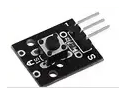
Small black PCB with a tactile switch. Confirm paired contacts by continuity; the switch may bridge two legs even before pressing.
Also called: Button
Check carrier power/signal/ground and onboard pull resistor first. Debounce the signal, detect the chosen press/release edge and avoid wiring already-common contacts as if they were switched.
required for programmed response
A controller interprets the event and controls any display, alarm or actuator.
Read the conditions before connecting parts. A relationship can involve a driver, controller or a redesigned circuit.
event input
event input
event indication
Quantity: 1 · quantity confidence: probable
Known countable purchase/BOM contributions. Each source line is a total; do not multiply by container count or add photo observations.
Ownership: source-backed club holding. Identity confidence: probable.
Supported by source contribution; unresolved variant and source details remain on its holding.
V1 establishes the catalog identity. Technical references explain the named device or component class; unverified carrier-specific ratings and pinouts are not asserted.
Original V3 image confidence: 75% · probable. Seller reference matches the component class; exact carrier revision is not established by this artwork.
Original V3 image source: 45-in-1 seller sheet (seller reference). Images describe identity and form; they do not establish quantity.
Displayed image source: 45-in-1 seller sheet; user-approved V2 image cleanup.
User explicitly authorized integration of approved entries from the supplied V2 decisions export. Exact reviewed candidate bytes retained; original inventory identity, confidence and hardware facts remain unchanged.
Original reference image rights retained; cleanup does not change attribution or license.