What you need
- Raspberry Pi 4 and a suitable USB-C 5 V / 3 A supply.
- A 32 GB or larger microSD card, a USB card reader, and another computer to write Raspberry Pi OS.
- For desktop use: a micro-HDMI display cable, monitor, USB keyboard and mouse. For headless use: a network connection and another computer with SSH.
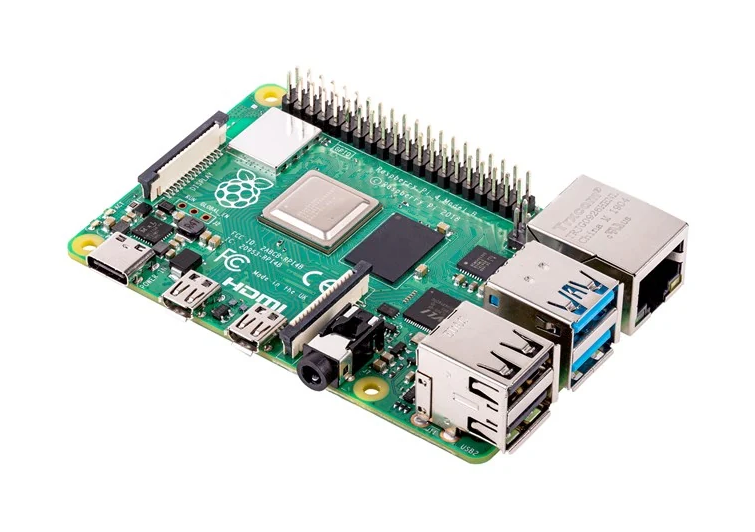
No GPIO wiring is needed. Leave the header disconnected. When you finish, shut down Raspberry Pi OS before removing power or the microSD card.
Setup
Install Raspberry Pi OS
Follow the shared Pi OS setup, selecting Raspberry Pi 4 and Raspberry Pi OS (64-bit) in Imager. That guide covers writing the card, creating your account and connecting by desktop or SSH. If this Pi already boots a supported OS, keep its files and skip re-imaging.
Sign in and open Terminal
Use the Pi's desktop Terminal or an SSH session connected to the Pi. Keep the Pi powered by its suitable 3 A supply. Running the example on your laptop instead will not confirm that the Pi is ready.
Your first program
The Python script prints a greeting, checks a small calculation and reports the interpreter, architecture and actual board model.
#!/usr/bin/env python3
"""First Linux/Python success. No GPIO, network service or extra package."""
import platform
from pathlib import Path

def model_name():
    model = Path("/proc/device-tree/model")
    try:
        return model.read_bytes().rstrip(b"\x00").decode("utf-8")
    except OSError:
        return "Unavailable: host execution does not establish a Raspberry Pi"

def main():
    print("Engineering Club: Python is running")
    print("Calculation: 2 + 3 =", 2 + 3)
    print("Python:", platform.python_version())
    print("Machine:", platform.machine())
    print("Model:", model_name())

if __name__ == "__main__":
    main()
Download the project onto the Pi
On the Pi desktop, download the complete project ZIP, extract it, and open the extracted folder in the file manager. Open a terminal in that folder. With SSH, download and extract the ZIP on your computer, open a local terminal in that extracted folder, then copy
first_success.pyto your Pi with the command below; replace both placeholders with your Imager settings.scp first_success.py YOUR_USERNAME@YOUR_HOSTNAME.local:~/Run Python on the Pi
In the Pi terminal, change to the folder containing
first_success.py. If you copied it with the command above, runcd ~first. Run the command below. The example uses Python's standard library: no pip packages, administrator privileges or GPIO libraries are required.python3 first_success.py
Verify it works
The first two output lines should match below. The following lines report the installed Python version, machine architecture and a model identifying Raspberry Pi 4. The program then exits normally. If Model says it is unavailable, check that you ran the command on the Pi. When finished, run sudo shutdown -h now and wait for a clean halt before disconnecting power.
Engineering Club: Python is running
Calculation: 2 + 3 = 5
Troubleshooting
- Pi will not boot or SSH is unreachable
Return to the shared Pi OS setup checks. Confirm the written card, account/network settings and the Pi 4 supply before changing the Python project.
- Python cannot open first_success.py
Run
pwdandlsin the Pi terminal. Change into the extracted folder containing the file, or usecd ~if you copied it into your home folder with scp.- python3 is not found
On Raspberry Pi OS, run
sudo apt updatefollowed bysudo apt install python3, then retry the program. Do not use a global pip override.- Output names another computer
Open the Pi's Terminal or reconnect to its actual SSH hostname. Running this portable Python file locally does not test your Pi.