parts organization
Pushbutton caps
- Keeping caps separated by fit/color makes assembly reproducible.
Connection conditions
- Do not mix visually similar incompatible stems.
Tools & Test Equipment
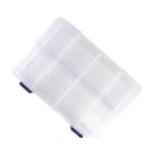
A compartment organizer keeps components separated by value or type for retrieval and return after experiments.
Reduces accidental mixing of resistors, connectors and small accessories. Compartments provide organization, not electrical identification or protection from static discharge.
Molded walls divide a box into physical storage areas; lids/dividers constrain parts but fine leads can cross gaps.
Transparent compartment box with lid and fixed/removable dividers.
Also called: plastic box
Label compartments with canonical names and verified values, store delicate leads without bending and keep moisture/batteries separated appropriately. Use proper antistatic packaging for sensitive devices if needed.
Read the conditions before connecting parts. A relationship can involve a driver, controller or a redesigned circuit.
parts organization
assembly support
Quantity: 1 · quantity confidence: high
Known countable purchase/BOM contributions. Each source line is a total; do not multiply by container count or add photo observations.
Ownership: source-backed club holding. Identity confidence: high.
Identity follows exact kit sheet/BOM; expected quantity is not a physical stocktake.
V1 establishes the catalog identity. Technical references explain the named device or component class; unverified carrier-specific ratings and pinouts are not asserted.
Original V3 image confidence: 90% · high. Component crop tied to an owned kit and its source mapping; selected by form rather than filename alone.
Original V3 image source: Freenove FNK0020 older sheet (owned kit reference). Images describe identity and form; they do not establish quantity.
Displayed image source: Freenove FNK0020 older sheet; user-approved V2 image cleanup.
User explicitly authorized integration of approved entries from the supplied V2 decisions export. Exact reviewed candidate bytes retained; original inventory identity, confidence and hardware facts remain unchanged.
Original reference image rights retained; cleanup does not change attribution or license.