What it does
Returns two environmental measurements as a digital message rather than exposing a raw analog voltage. Relative humidity describes moisture relative to saturation at the local temperature; breathing on the package tests response but is not calibration.
Useful specifications
- Typical supply
- 3–5 V class; confirm actual version
- Legacy DHT11 nominal range
- 20–80 %RH; 0–50 °C
- Legacy nominal accuracy
- About ±5 %RH and ±2 °C
- Read interval
- Use at least 1 s; slower polling is appropriate
How it works
A humidity-sensitive resistive element and an internal temperature sensor feed conversion and calibration electronics. A request from the host starts a pulse-timed message containing humidity, temperature and a checksum. This protocol is distinct from Dallas 1-Wire.
Vented housing lets air reach the sensing elements; a carrier changes wiring convenience, not the measurement principle.
Recognize the part
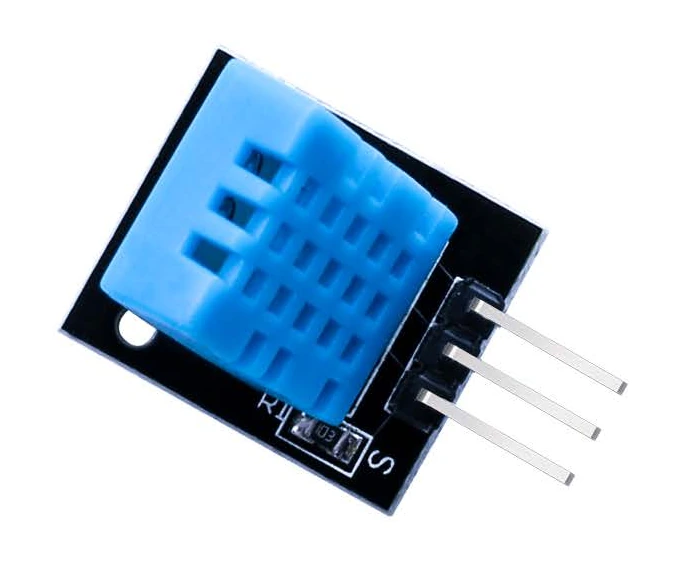
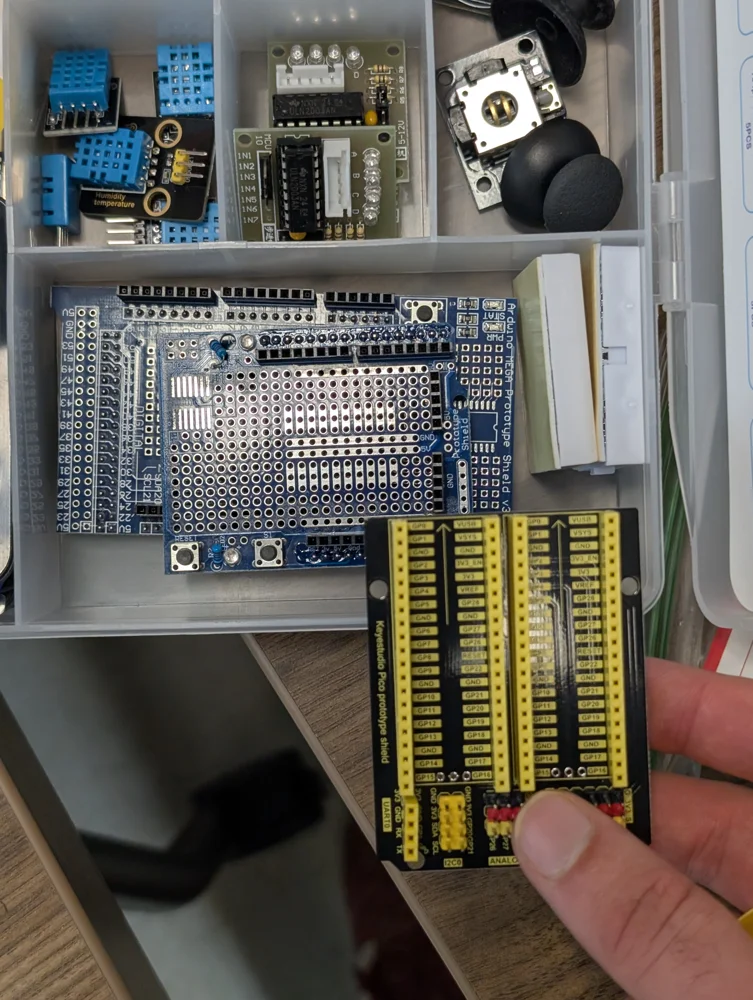
Blue vented DHT11 on a small PCB with power, ground and data header; the carrier may include a pull-up resistor.
Also called: DHT11, dht11 temperature and humidity module, DHT11 temperature/humidity module, Temp and Humidity, Temperature and Humidity Sensor
How to use it
Use a DHT11-specific library and allow stabilization after power-up. Check header silkscreen and whether a data pull-up is already fitted. For a 5 V-powered carrier, inspect the pull-up rail before using 3.3 V GPIO. Read slowly and reject checksum errors.
Know before using
Limits
- Coarse resolution, limited range and slow response.
- Condensation and contamination impair humidity readings.
- Heat from a nearby board biases air temperature.
Common mistakes
- Using a DHT22 driver setting.
- Polling as fast as an ADC.
- Treating a valid checksum as proof of accuracy.
Care and safety
- Avoid wetting the sensor; verify data pull-up voltage.
What you need with it
required
A controller issues the start request, decodes pulses and validates the checksum.
- Other owned controllers can fill this role after software/voltage checks.
Owned type; verify quantity, rating and fit for this use.What can I build?
intermediate
Core electronics availableShow DHT11 readings with last-valid age and checksum/error indicators on a 16×2 display.
Related owned hardware
Read the conditions before connecting parts. A relationship can involve a driver, controller or a redesigned circuit.
controller
- Uno runs a DHT11 pulse decoder and can report checksum-checked temperature/humidity.
- DHT11 gives an Uno a slow environmental measurement without an external ADC.
Connection conditions
- Allow at least one second between reads; confirm supply and data pull-up voltage.
- Other owned controllers can fill this role after software/voltage checks.
wireless controller · wireless environment
- Pico 2 W can publish slow humidity readings without leaving a computer connected.
- Pico 2 W can send slow humidity/temperature readings while tracking invalid/stale DHT11 messages.
Connection conditions
- Verify actual output/pull-up voltage before connecting to 3.3 V GPIO; use suitable level translation where required.
- Use a library that explicitly supports DHT11, not DHT22 settings.
- Use exact Pico 2 W firmware and a supported DHT11 decoder; verify data pull-up and valid supply.
local display
- 16×2 text is sufficient for temperature, relative humidity and a stale/error marker.
Connection conditions
- Check the carrier supply, address and pull-up rail. Use one compatible pull-up network for the bus and avoid pulling 3.3 V GPIO to 5 V.
- Route measurements through a controller; refresh no faster than valid sensor updates.
kit learning anchor
- The frozen kit contribution establishes this lesson component. Use the preserved class guidance to characterize its actual interface before adding it to the kit’s host platform.
Connection conditions
- Current web BOMs do not override the frozen source holding; check voltage/driver needs per component.
wireless environment
- ESP32 can retain checksum/last-valid age and send slow environmental readings over its integrated Wi-Fi.
- The DHT11 carrier supplies a simple slow sensor for ESP32 network-message/error-state lessons.
Connection conditions
- Verify actual output/pull-up voltage before connecting to 3.3 V GPIO; use suitable level translation where required.
- Verify DHT supply and data pull-up; radio updates do not increase the sensing die’s accuracy or allowed read rate.
When would I use each?
Temperature-measurement strategy; humidity and calibration requirements can rule out alternatives.
Use DHT11 only when humidity matters and modest accuracy is sufficient. DS18B20 provides addressed digital temperature. LM35 produces a temperature-proportional voltage with supply constraints. Thermistors are useful for resistance/calibration lessons; nominal resistance alone does not justify Celsius values.
Owned substitutions
partial redesignThe bare/carrier pair provides the same underlying component class when the fitted circuitry is identified.
Required changes
- Rewire package/header pins and add or account for carrier bias/driver/suppression components.
- Check supply, output polarity and signal voltage.
- Carrier circuitry is not assumed from board shape.
- The carrier does not inherently improve the sensing die or contact rating.
If you outgrow it
Researched external products, separate from club inventory. Price and availability are not promised.
Sensirion
SHT45
Not owned by clubDHT11’s coarse and restricted sensing performance limits an environmental instrument that needs documented accuracy.
What improves
- Provides substantially tighter documented humidity/temperature measurement than the DHT11 class.
- Typical ±1 %RH and ±0.1 °C apply under the specified conditions; I²C replaces DHT pulse timing.
DHT11’s coarse and restricted sensing performance limits an environmental instrument that needs documented accuracy. Choose this path only when the stated improvement is a requirement.
Tradeoffs
- Raw sensor supply is 1.08–3.6 V; a carrier regulator does not automatically make signal pins 5 V tolerant.
- Condensation, heating and placement still affect an ambient measurement.
Additional hardware
- Suitable SHT45 breakout/carrier, compatible I²C pull-ups and host library; enclosure/airflow suited to the measurement
Migration steps
- Review the exact product documentation and chosen carrier before purchase.
- Rework connections, firmware/library configuration, power and mechanics as required by this path.
- Validate the new subsystem against the project measurement or timing requirement.
Official product / documentation ↗
Bosch Sensortec
BME280
Not owned by clubThe environmental project needs pressure/altitude-related measurements that DHT11 cannot provide.
What improves
- Adds barometric pressure to a humidity/temperature measurement subsystem.
- Digital I²C/SPI interfaces allow documented compensation and pressure-based experiments.
The environmental project needs pressure/altitude-related measurements that DHT11 cannot provide. Choose this path only when the stated improvement is a requirement.
Tradeoffs
- Pressure is the distinguishing benefit; it is not automatically the highest-accuracy humidity choice.
- Board heat and enclosure placement affect temperature; raw device power/signals are low voltage.
Additional hardware
- Verified BME280 breakout rather than the humidity-free BMP280; compatible pull-ups, library and enclosure
Migration steps
- Review the exact product documentation and chosen carrier before purchase.
- Rework connections, firmware/library configuration, power and mechanics as required by this path.
- Validate the new subsystem against the project measurement or timing requirement.
Official product / documentation ↗
Inventory record and image evidence
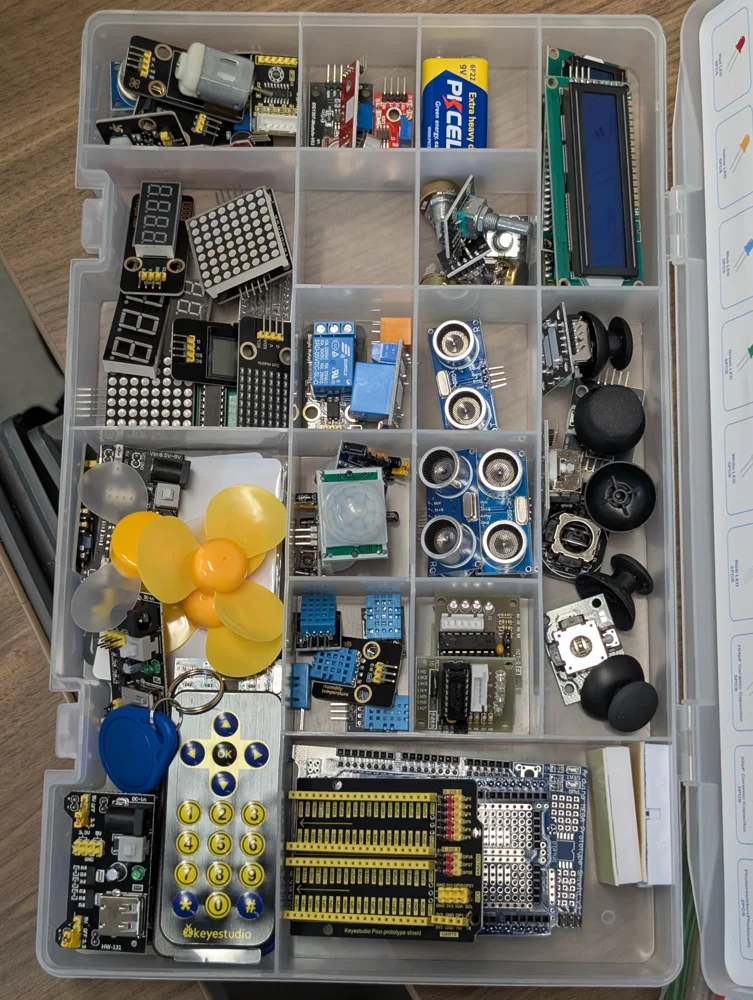
Quantity: 4 · quantity confidence: probable
Known countable purchase/BOM contributions. Each source line is a total; do not multiply by container count or add photo observations.
Ownership: source-backed club holding. Identity confidence: high.
Identity follows exact kit sheet/BOM; expected quantity is not a physical stocktake.
V1 establishes the catalog identity. Technical references explain the named device or component class; unverified carrier-specific ratings and pinouts are not asserted.
Source holdings
Parent kits
Original V3 image confidence: 90% · high. Component crop tied to an owned kit and its source mapping; selected by form rather than filename alone.
Original V3 image source: ELEGOO Mega reference (owned kit reference). Images describe identity and form; they do not establish quantity.
Displayed image source: ELEGOO — The Most Complete Starter Kit for MEGA 2560 tutorial — The Most Complete Starter Kit for MEGA V1.0.2021.05.13.pdf, page 93, image xref 323 (supplied selection metadata).
Blue vented DHT11 is mounted on a carrier with a three-pin header, matching the canonical PCB module rather than the separate bare sensor. Pin order still requires the actual board labels.
Illustration © ELEGOO. All rights reserved. Used for the Engineering Club educational website under club-reported permission; no broader license is granted.