beginner
ADC transfer and quantization bench
Core electronics availableSweep a 10 kΩ wiper and compare meter voltage with quantized Uno ADC codes.
Kits / Parent kit
Keyestudio KS3020 is a Pico learning kit that progresses from MicroPython GPIO experiments to analog sensing, displays and controlled motion.
Discrete inputs/indicators, sensing modules, displays, wireless accessory and motor/servo drivers provide a sequence of tangible experiments. Learn MicroPython or a supported Arduino ecosystem, then digital/analog signals, serial displays and externally powered motion. The educational value comes from measuring and explaining each circuit rather than just replaying supplied code.
Firmware on the Pico reads ADC or digital signals and sends commands to output devices. The prototype carrier makes connections accessible; it does not change the Pico’s 3.3 V GPIO limits. Individual experiments expose the difference between signal wiring and actuator power.
Look for KS3020/Keyestudio labeling, the Pico prototype carrier and the source-specific component sheet. Check the Pico board’s printed model before selecting firmware.
Also called: Keyestudio Raspberry Pi Pico Ultimate Starter Kit
Learn MicroPython or a supported Arduino ecosystem, then digital/analog signals, serial displays and externally powered motion. Before each lesson, use the individual component record to check power, signal levels and driver needs. Keep the frozen source holding/BOM as the ownership reference and use current documentation only for technical learning. Kit lessons are useful circuit references; the Pico board manufacturer wins on power/logic limits. No current web BOM or Pico-family variant is added to inventory.
These links follow the frozen source holding lines. Kit and component quantities describe different units; do not add them as a stock total.
beginner
Sweep a 10 kΩ wiper and compare meter voltage with quantized Uno ADC codes.
intermediate
Measure range on Pico 2 W and transmit distance plus timeout status after verifying a 1 kΩ/2 kΩ Echo divider.
beginner
Read centered axes and a push switch, then normalize a deadband-aware coordinate pair.
intermediate
Move between measured output angles with acceleration limits and a documented home reference.
club-wide demonstrator; not a claim that every required component belongs to this kit
club-wide demonstrator; not a claim that every required component belongs to this kit
club-wide demonstrator; not a claim that every required component belongs to this kit
club-wide demonstrator; not a claim that every required component belongs to this kit
Read the conditions before connecting parts. A relationship can involve a driver, controller or a redesigned circuit.
kit learning anchor
kit learning anchor
kit learning anchor
kit learning anchor
kit learning anchor
Quantity: 1 · quantity confidence: confirmed
Purchased kit-container count; excluded from component-unit aggregate.
Ownership: source-backed club holding. Identity confidence: probable.
Legacy photographed or listed component class; exact model may be unresolved.
Parent identity and contributions remain frozen. Technical learning descriptions do not assert a new BOM or complete current physical stock.
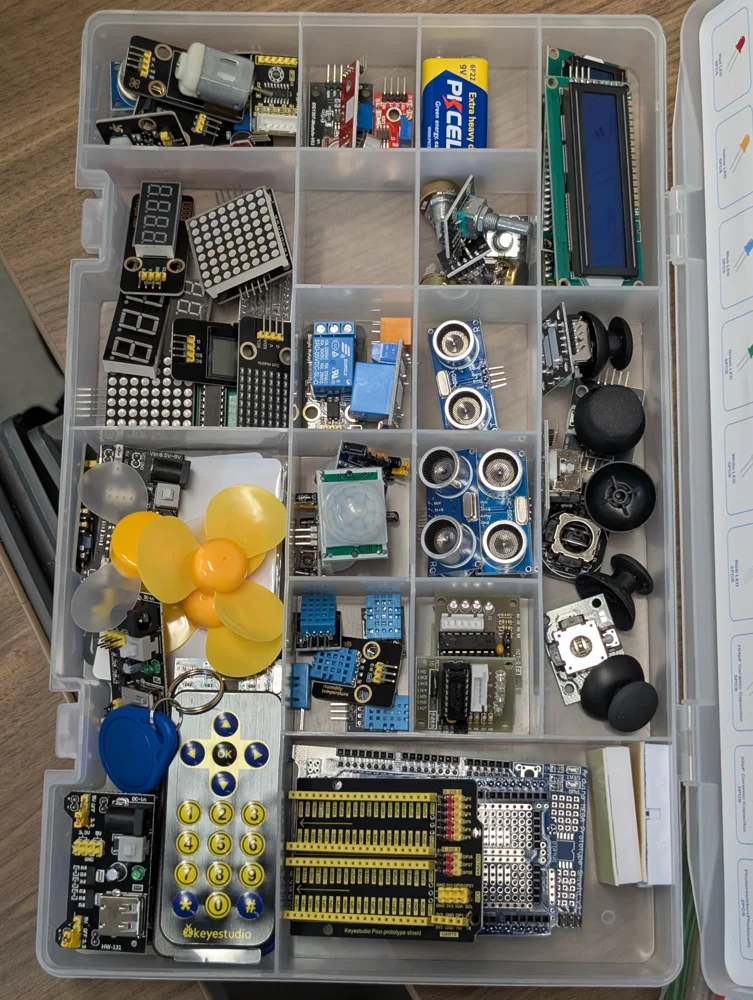
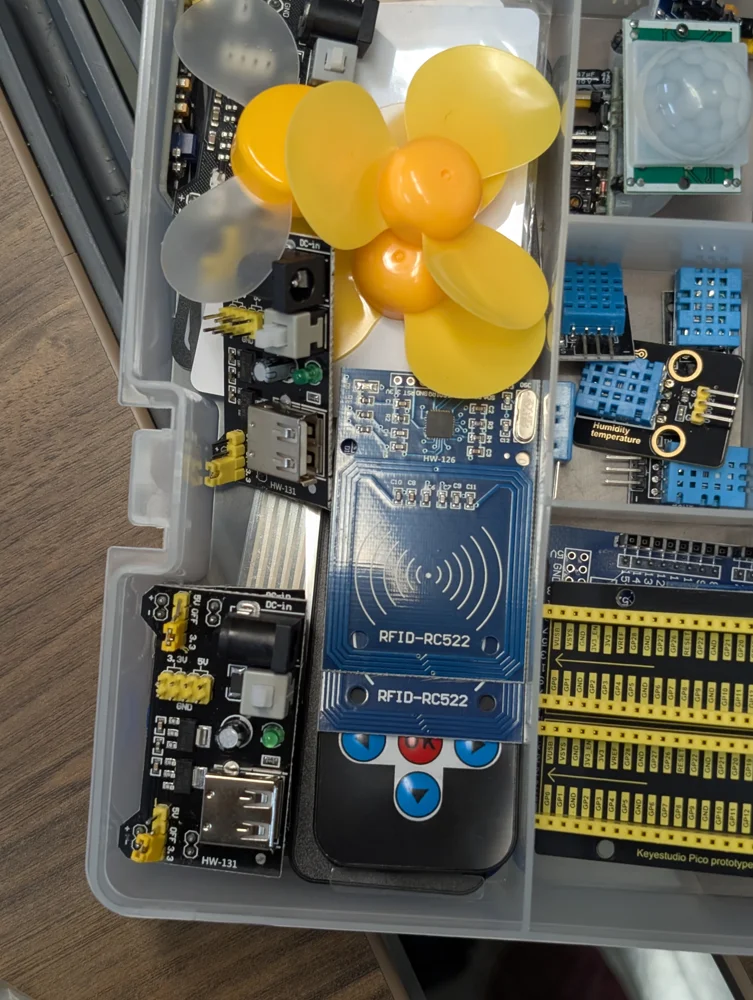
Original V3 image confidence: 82% · high. Physical club photograph supports the visible component class; full scene retained as evidence.
Original V3 image source: Engineering Club photographs (physical photo). Images describe identity and form; they do not establish quantity.
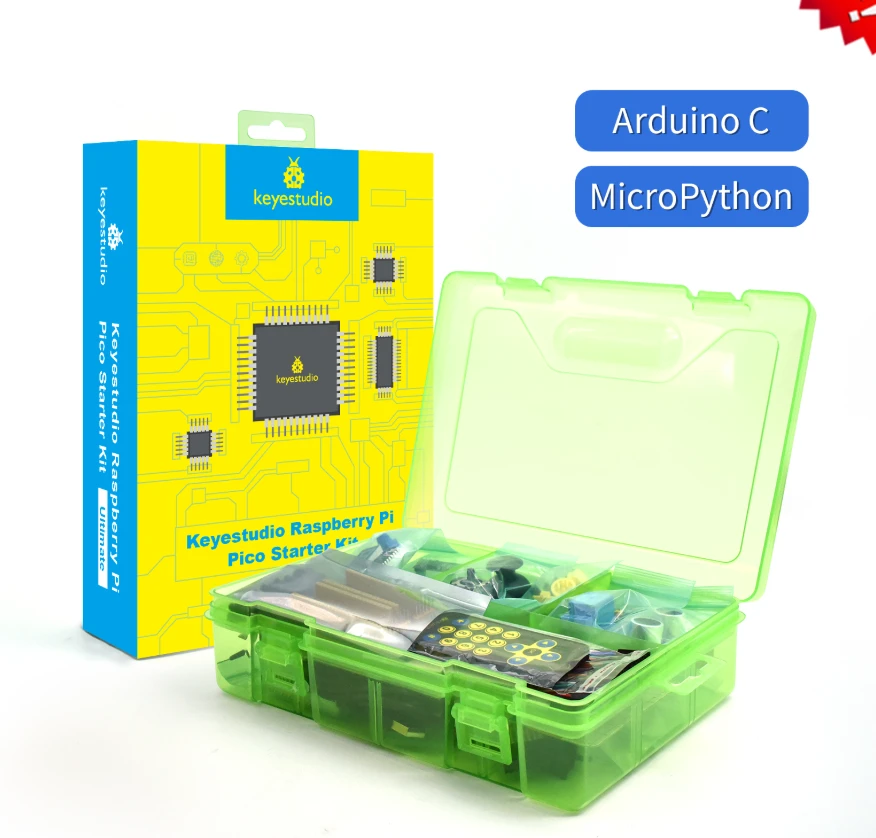
Displayed image source: User-supplied Keyestudio KS3020 Raspberry Pi Pico Ultimate Learning Kit reference photograph.
User-selected Keyestudio Raspberry Pi Pico starter-kit packaging reference; current pictured contents do not replace the frozen KS3020 source holding.
User-supplied reference image; original rights retained.